Modern users expect relevance at every digital touchpoint, and AI personalization WordPress makes that possible. Whether browsing content, shopping online, or reading blog postsA post is a type of content in WordPress, a popular open-source content management system used for creating an… More, visitors anticipate experiences tailored specifically to their interests, behavior, and intent. Generic websites no longer hold attention — users expect smart, adaptive interactions that respond instantly to their needs.
Platforms like Netflix have trained audiences to expect intelligent recommendations and seamless customization. Today, WordPress site owners can deliver similar data-driven experiences. In this comprehensive guide, we’ll explore how AI-powered personalization improves user experience (UX), increases engagement, boosts conversions, and strengthens overall SEO performance.
What Is AI Personalization in WordPress?
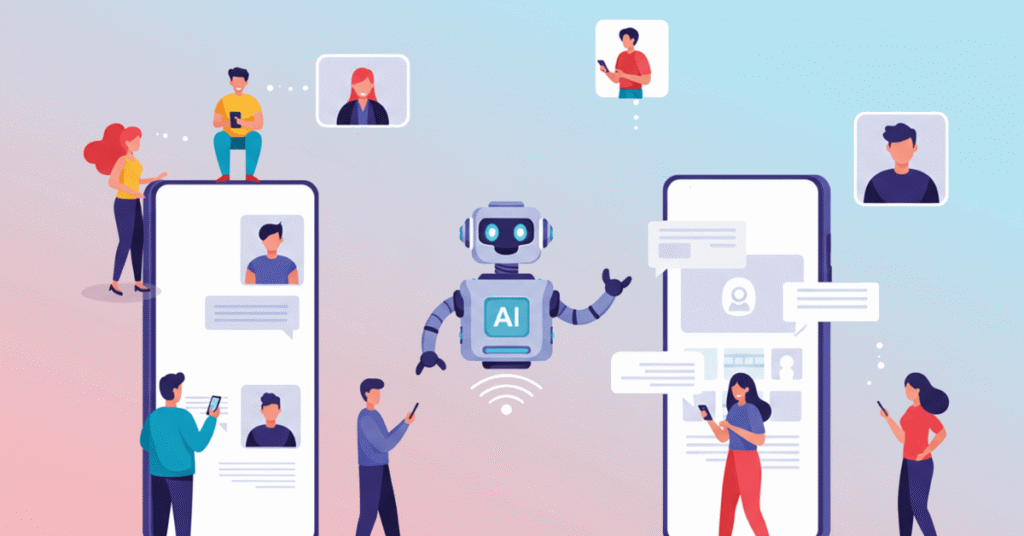
AI personalization in WordPress uses machine learning and user behavior data to automatically adjust content, layout, recommendations, and messaging for each visitor. It analyzes actions like clicks, pageIn WordPress, a page is a content type that is used to create non-dynamic pages on a website. Pages are typica… More views, and time spent on your site to understand what users prefer and what they are likely to do next.
Unlike static websites that show the same content to everyone, AI-powered WordPress sites adapt in real time. This creates more relevant experiences, improves engagement, and increases the chances of conversions and sales.
Rule-Based vs AI-Based Personalization
Rule-Based vs AI-Based Personalization explains two ways to tailor website content. Traditional rule-based personalization follows fixed conditions you set manually. AI-based personalization learns from user behavior, detects patterns, predicts intent, and automatically adjusts content in real time to improve engagement, relevance, and conversions.
Traditional Rule-Based Personalization
- “If user is from Canada → show CAD pricing”
- “If user visits twice → show newsletter popup”
- Manually configured conditions
AI-Based Personalization
- Learns from browsing behavior
- Identifies patterns automatically
- Predicts user intent
- Optimizes content delivery continuously
AI systems analyze:
- Click behavior
- Scroll depth
- Purchase history
- Traffic source
- Device type
- Time on page
Then they adjust what the user sees — instantly.

How AI Personalization Works Behind the Scenes
Understanding the technical side improves implementation decisions.
1. Data Collection
AI systems gather first-party data such as:
- Page views
- Interaction events
- Product interest
- Engagement patterns
Privacy compliance (GDPR, CCPA) must always be prioritized.
2. Pattern Recognition
Machine learning models detect:
- Behavioral clusters
- Intent signals
- Purchase likelihood
- Content preferences
For example: Users who read 3+ SEO posts may be segmented as “high-intent marketers.”
3. Predictive Modeling
AI predicts:
- Which blog postA post is a type of content in WordPress, a popular open-source content management system used for creating an… More a user is likely to click next
- Which product they’re most likely to buy
- When they may abandon a session
4. Dynamic Rendering
Based on predictions, WordPress dynamically updates:
- CTAs
- Product recommendations
- Hero headlines
- Internal content blocks
This all happens in milliseconds.
Key Benefits of AI Personalization WordPress
Implementing AI personalization in WordPress goes far beyond adding smart features — it directly impacts how users experience your website. From deeper engagement to higher conversions and stronger retention, AI-driven customization creates measurable improvements. Here are the core benefits that make AI personalization a strategic advantage for modern WordPress sites.
1. Increased Engagement
When users see content aligned with their interests, they stay longer.
Personalized content reduces bounce rate and increases:
- PagesIn WordPress, a page is a content type that is used to create non-dynamic pages on a website. Pages are typica… More per session
- Scroll depth
- Time on site
These are strong UX and SEO signals.
2. Higher Conversion Rates
AI identifies buying intent and adapts messaging accordingly.
Examples:
- Showing urgency messaging to comparison shoppers
- Offering discounts to price-sensitive users
- Promoting premium plans to returning visitors
3. Better Retention and Loyalty
Predictive systems detect disengagement patterns and trigger:
- Smart email sequences
- Retargeting offers
- Loyalty incentives
Retention becomes proactive instead of reactive.
4. Stronger SEO Performance
Search algorithms developed by companies like Google prioritize user satisfaction metrics such as:
- Dwell time
- Engagement signals
- Reduced pogo-sticking
AI personalization directly improves these behavioral factors.

Real-World Use Cases of AI Personalization in WordPress
AI personalization in WordPress moves beyond theory when applied to real user journeys. From dynamic content recommendations to intelligent product suggestions and adaptive landing pages, AI transforms how visitors interact with your site. Below are practical, revenue-focused examples showing how personalization improves UX, engagement, and conversions in measurable ways.
Use Case 1: AI-Powered Content Recommendations
For blogs and publishers, AI can:
- Recommend posts based on reading history
- Suggest advanced articles after beginner guides
- Promote related categoriesIn WordPress, categories are a fundamental taxonomy used to group and organize posts based on their topics or … More automatically
Example: A user reading AI-related content sees more advanced AI integration guides instead of random posts.
This increases topical authority and session depth.
Use Case 2: WooCommerce Product Personalization
For eCommerce stores, AI personalization WordPress becomes revenue-driven.
AI can:
- Predict complementary purchases
- Customize upsells
- Dynamically adjust homepage products
- Trigger personalized cart recovery emails
Plugins like WooCommerce Product Recommendations help automate intelligent suggestions without manual setup.
Use Case 3: Dynamic Landing Pages
AI adapts landing pages based on:
- Location
- Referral source
- Device type
- Returning vs first-time visitor
For example:
- Paid ad visitors see conversion-focused messaging.
- Organic blog readers see educational CTAs.
- Returning visitors see loyalty incentives.
This dramatically improves conversion rates.
Use Case 4: AI Chatbots for Real-Time Personalization
Advanced chatbots powered by technologies from OpenAI enable conversational personalization.
They can:
- Recommend blog posts
- Suggest products
- Answer contextual questions
- Guide users through funnels
Unlike static FAQ bots, AI chatbots learn and improve over time.
Step-by-Step: How to Implement AI Personalization in WordPress
Implementing AI personalization in WordPress does not have to be complicated. By following a clear step-by-step process, you can add smart targeting, dynamic content, and automated recommendations that improve user experience, increase engagement, and drive more conversions on your website.
Step 1: Define UX Goals
Identify friction points:
- High bounce pages
- Low-converting landing pages
- Abandoned carts
Set measurable KPIs:
- +25% session duration
- +15% upsell conversions
- −20% bounce rate
Step 2: Choose the Right AI Plugins
Popular WordPress personalization tools include:
- If-So – Dynamic conditional content
- Logic Hop – Behavioral targeting
- Elementor AI – AI-assisted content & design
- HubSpot integration – CRM-based personalization
Evaluate:
- Speed impact
- Compatibility
- Scalability
- Privacy compliance
Step 3: Start with High-Impact Pages
Begin with:
- Homepage
- Top blog posts
- Product pages
- Landing pages
Avoid overcomplicating early implementation.
Step 4: Configure Personalization Triggers
Examples:
- If user reads 3 SEO articles → Show advanced SEO guide CTA
- If returning visitor → Show loyalty discount
- If cart value > $100 → Offer free shipping
Keep triggers simple at first.
Step 5: A/B Test and Optimize
Monitor:
- Click-through rates
- Conversion rates
- Heatmap behavior
- Engagement depth
AI improves over time, but optimization accelerates results.
AI vs Traditional Personalization (Quick Comparison)
| Feature | Traditional | AI Personalization |
|---|---|---|
| Setup | Manual rules | Automated learning |
| Adaptation | Static | Real-time |
| Scalability | Limited | High |
| Insights | Basic analytics | Predictive modeling |
| Optimization | Manual testing | Continuous improvement |
AI scales without increasing workload.
Case Example: UX Improvement with AI Personalization
A content-driven SaaS website implemented:
- AI blog recommendations
- Dynamic CTAs
- Personalized exit popups
Results within 60 days:
- 38% increase in average session duration
- 22% reduction in bounce rate
- 17% boost in lead conversions
The key wasn’t more traffic — it was smarter personalization.
Common Challenges (And Solutions)
1. Data Privacy Concerns
Be transparent and offer opt-in tracking options.
2. Over-Personalization
Avoid excessive personalization that feels intrusive.
3. Performance Issues
Choose lightweight plugins and optimize hosting.
4. PluginA plugin is a software component that adds specific features and functionality to your WordPress website. Esse… More Conflicts
Always test in staging before going live.
The Future of AI Personalization in WordPress
We’re moving toward:
- Predictive UX design
- Real-time adaptive layouts
- AI-generated microcopy
- Behavioral funnel automation
- Headless WordPress + AI APIs
Soon, websites won’t just react — they’ll anticipate user needs before users express them.
FAQ: AI Personalization WordPress
What is AI personalization in WordPress?
It’s the use of machine learning to dynamically adjust website content and messaging based on user behavior.
Does AI personalization improve SEO?
Yes. It improves dwell time, engagement, and relevance signals — all important ranking factors.
Is AI personalization safe for small websites?
Yes. Many plugins are lightweight and scalable for small businesses.
Will AI personalization slow down my site?
Not if implemented properly. Choose optimized tools and monitor performance.
Is AI personalization worth it?
If improving UX and conversions matters to your business, absolutely.
Final Thoughts
AI personalization on WordPress is no longer optional for competitive websites. It transforms static pages into adaptive, intelligent experiences.
When implemented strategically, AI:
- Enhances UX
- Increases engagement
- Boosts conversions
- Strengthens SEO signals
- Builds long-term loyalty
Start small. Test intelligently. Scale strategically.
The future of WordPress isn’t just content-driven — it’s context-driven.
AI Personalization WordPress helps you show the right content to the right visitor at the right time. It uses smart tools to understand user behavior and adjust your website automatically.
With AI Personalization WordPress, you can display personalized offers, recommend products, and change content based on what visitors click or view. This keeps people engaged and encourages them to take action.
It also helps increase conversions, reduce bounce rates, and improve customer experience. Instead of showing the same content to everyone, your site becomes smarter and more relevant.
Ready to Upgrade Your Website?
If you’re looking for fast WordPress hosting and done-for-you updates, check out our hosting packages by clicking the button below. Give your AI-powered website the speed and support it needs to grow.


![How to Update PHP Version in WordPress [3 Visual Methods]](https://codingheros.com/wp-content/webp-express/webp-images/uploads/2024/06/how-to-update-php-version-in-wordpress-3-visual-methods-243.png.webp)


![How to Setup Hotjar for Your WordPress Website [Visual Guide]](https://codingheros.com/wp-content/webp-express/webp-images/uploads/2024/10/how-to-setup-hotjar-for-your-wordpress-website-visual-guide.png.webp)